A Real-Time 2D Ray Tracer That Runs on Low-Spec Phones
A 2D ray-tracing library using signed distance fields, tiled rendering and dynamically generated shaders to enable real-time graphics on almost all devices.
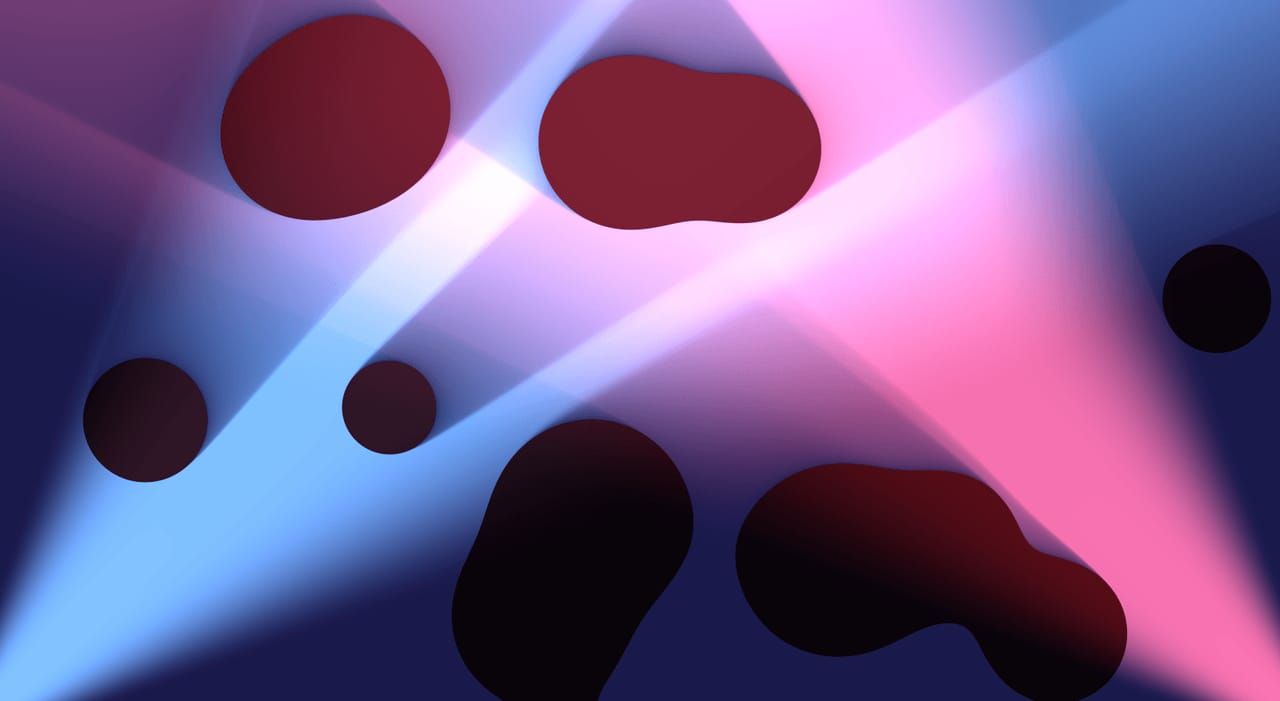
My BSc thesis1 needed two things: a renderer and something to render. The former became SDF-2D, a browser-based 2D ray tracer built on signed distance fields. The latter became doppler2, a multiplayer space shooter built on it. This article is about the renderer.
2D games mostly composite flat, unlit sprites while running on ever-faster GPUs. Ray tracing could give them shadows and area lights, but of course, a naive implementation would be unusably slow on most devices people play 2D games on, especially phones. SDF-2D shows how to make this practical and provides a simple API for rendering complex scenes defined by signed distance fields on most devices.
Circle tracing
It’s pretty convenient if we can describe a scene using a signed distance field (SDF). We can skip the triangles and use sphere tracing3 to render the scene at arbitrarily high resolutions with complex lighting effects. Sphere tracing renders surfaces defined by an SDF by marching along each ray in steps equal to the field’s value at the current point. A negative field value means the point is inside an object, and values near zero can be used for antialiasing.
Circle tracing is the 2D version. The only downside is the massive amount of compute required to run it. Rays are only needed for lighting, so performance depends on how often the field is evaluated, which in turn depends on the number of lights. A naive renderer could therefore evaluate the field pixels × ray_marching_steps × lights times per frame.
Optimisations
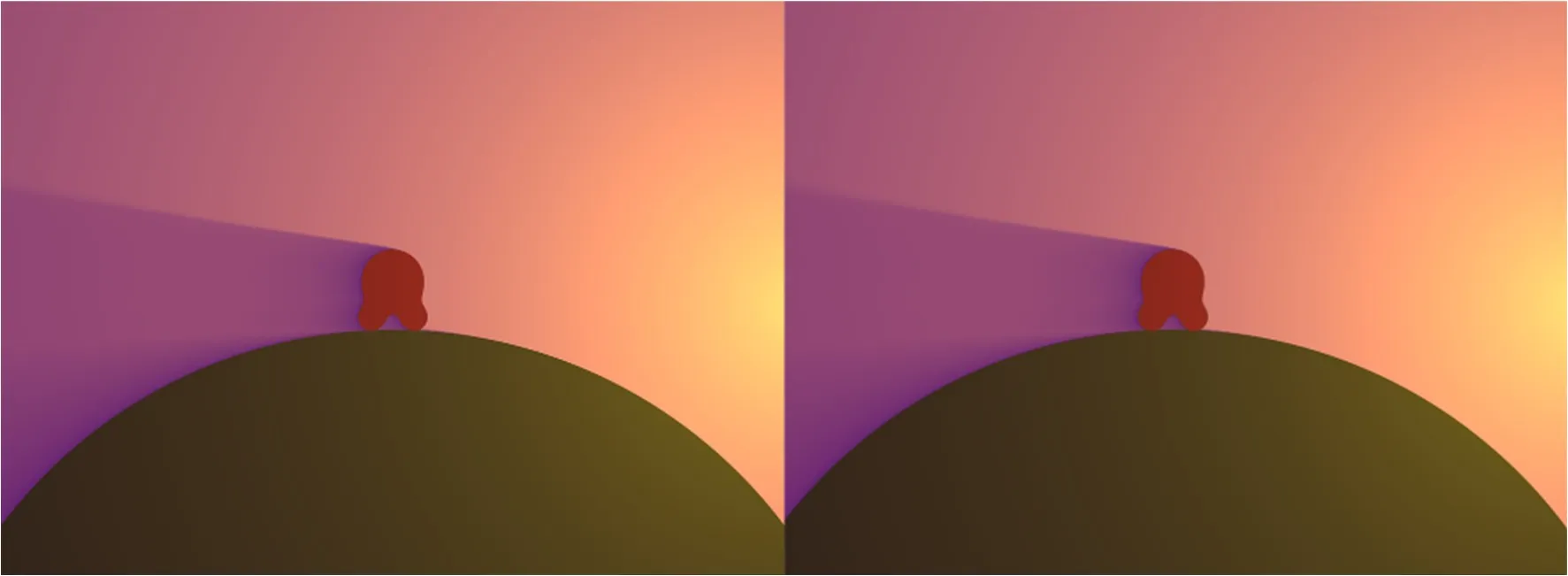
If we ignore reflections, deferred shading (memoising the full screen’s distance field) replaces repeated procedural distance-field evaluations with cached texture reads. The geometry pass evaluates the field once per distance-texture pixel; the lighting pass still performs roughly shading pixels × ray_marching_steps × lights texture samples, but those samples are much cheaper than evaluating the full scene SDF. One pass renders the distance field and base colour into a texture, and the lighting pass reads it back. This also lets us change the geometry’s resolution independently of the shading resolution. An upscaled gradient is easy to spot because of the artefacts, but a circle rendered at half resolution and then shaded at full resolution looks convincingly full resolution.
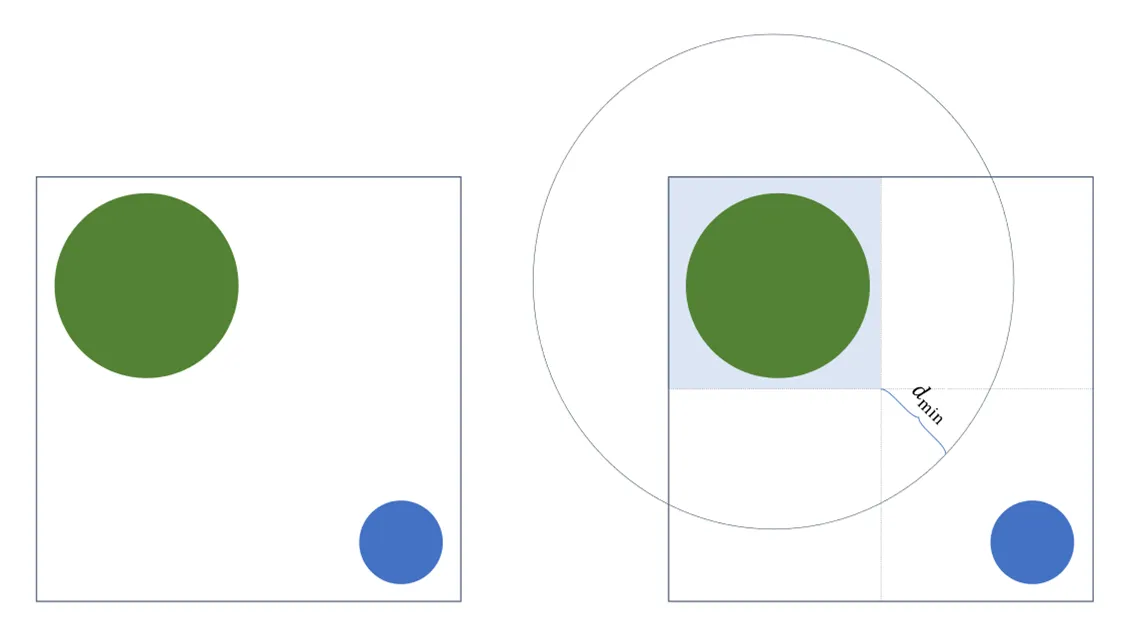
The second optimisation borrows from tiled renderers. The screen is split into an 8 × 8 grid, and each tile receives only the objects that overlap it or are reasonably close (within a distance of d_min). The CPU assigns objects to tiles, which takes a negligible amount of time for a few dozen objects. In my 200-object test scene, the average tile needed only 23 objects: about 8.7× fewer object evaluations.
The tiles’ distance fields can be rendered in parallel. The only caveat is that, when combining them, we have to cap the maximum distance at d_min. The stored value is therefore a conservative lower bound on the true distance rather than an exact distance field.
Here are the results for that scene (200 objects, two lights, 16 shadow steps, 2560 × 1080) on a desktop RX 590, with GPU time measured using EXT_disjoint_timer_query:
| Optimisations enabled | FPS | GPU draw time |
|---|---|---|
| None | 7.5 | 130 ms |
| Memoised distance field | 60 (capped) | 5 ms |
| Memoised field and tiles | 60 (capped) | 1.85 ms |
That’s a 70-fold speed-up, giving a mid-range phone enough headroom.
Efficient shadow approximation
I could’ve used a textbook approach to soft SDF shadows, such as Quilez’s ray-marched penumbra technique4. In my baseline implementation, getting acceptable results took 64 to 128 steps per light, and the artificially capped lower-bound field produced artefacts at sharp edges. But I found that, in 2D, simpler approximations work just as well. So I used the following heuristic: march towards the light for 16 steps, divide the distance travelled by the distance to the light, and raise the ratio to the power of an INTENSITY constant (0.3 works well).
float shadowTransparency(float lightDistance, vec2 lightDirection) {
  float rayLength = 0.0;

  for (int j = 0; j < 16; j++) {
    rayLength += max(0.0, getDistance(uvCoordinates + lightDirection * rayLength));
  }

  return min(1.0, pow(rayLength / lightDistance, INTENSITY));
}
The closer the ray gets to the light, the less shadow its starting point receives. The heuristic has no physical basis, but it runs several times faster and accepts lower-bound fields. Anything from 8 to 32 steps looks acceptable. There’s also the obviously very intentional artistic choice: objects already inside another’s shadow darken that shadow again.
And the API
I believe theory has value only when put into practice. Therefore, the optimisations are implemented in SDF-2D5. Here’s a minimal scene in TypeScript, with a circle orbiting a light:
import { CircleFactory, CircleLight, hsl, runAnimation } from 'sdf-2d';

const canvas = document.querySelector('canvas');
const Circle = CircleFactory(hsl(180, 100, 40));

const draw = (renderer, time) => {
  renderer.addDrawable(
    new Circle([150 + 50 * Math.cos(time / 1000), 75 + 50 * Math.sin(time / 1000)], 25)
  );
  renderer.addDrawable(new CircleLight([150, 75], hsl(270, 100, 40), 0.1));

  return true; // flag that more frames are coming
};

runAnimation(canvas, [Circle.descriptor, CircleLight.descriptor], draw);
You can find more details about the API in the docs6. One interesting bit is the need to specify the objects and their types separately (the descriptor list on the last line). This is because SDF-2D supports both WebGL1 and WebGL2, as iOS didn’t support WebGL2 back in 2020. WebGL1 requires loop bounds to be compile-time constants. The library can’t know how many circles you’ll draw, so it generates its shaders at runtime.
Each drawable’s descriptor declares its GLSL code, the uniform arrays carrying its instances, and the object counts to compile for, such as [0, 1, 2, 4, 8, 16]. The generator substitutes these into GLSL templates and compiles a program for every combination across drawable types. The number of programs grows exponentially, but keeping it under a few hundred is doable. Each tile is drawn with the smallest program covering its object counts.
Field testing in an electronics store
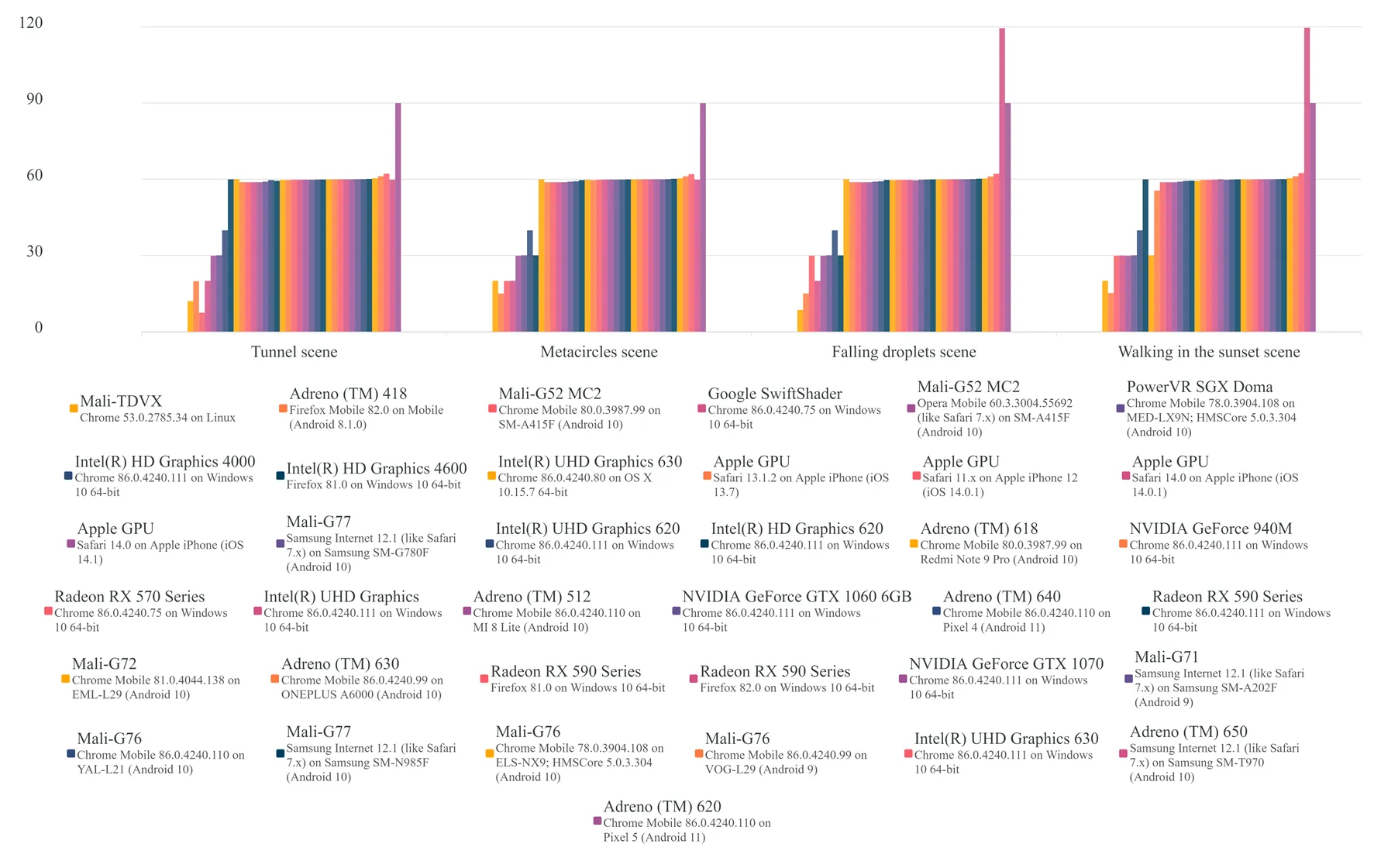
The demo page7 anonymously logged each scene’s frame rate. Organic visitors and pestered friends provided some data; I gathered the rest by running the demo on every device on display in an electronics store, since device farms charged more than a student could afford. Of 37 unique devices, 33 held 30 FPS or better, and over three quarters stayed at the display’s cap of 60 FPS in every scene. The bars above 60 represent a 120 Hz Samsung tablet and a 90 Hz Pixel 5. Some of the slowest results came from the SwiftShader software renderer and a 4K TV running a four-year-old version of Chrome.
Not bad.
- BSc thesis: https://schmelczer.dev/media/downloads/sdf2d-andras-schmelczer.pdf↩
- doppler: https://schmelczer.dev/articles/doppler-shared-simulation-code/↩
- sphere tracing: https://doi.org/10.1007/s003710050084↩
- Quilez’s ray-marched penumbra technique: https://iquilezles.org/articles/rmshadows/↩
- SDF-2D: https://www.npmjs.com/package/sdf-2d↩
- docs: https://sdf-2d-docs.schmelczer.dev/↩
- demo page: https://sdf2d.schmelczer.dev/↩